
To apply GST on Export/International orders, please follow the steps below:
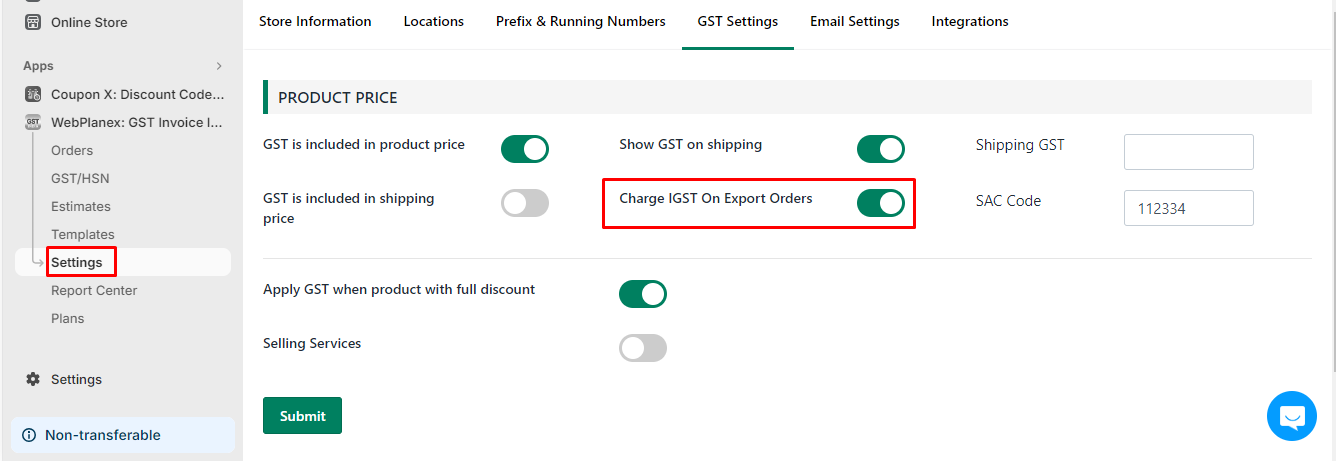
- Go to our app Settings > GST Settings.
- Locate the option "Charge IGST on Export Orders".
- Turn the slider ON to enable it.
Once this option is enabled, the system will automatically start charging IGST on all export/international orders outside India. After this, invoices and reports will reflect the correct GST calculation for export orders.